Newer user so maybe direct me if I’m missing this feature or consider this for a future feature.
In the library I have lists of markers - one is Camera Point - where I’ll be standing and another list is POI - where I want to shoot.
95% of my planned shot involve these two points. Where from and where to.
Unless I’m missing something…the challenge is that I can place my where from (red) pin from the library but have to go the map and navigate to my POI and engage geodetics to place the grey pin.
Is it possible to place the geodetic pin from the library the same way you place the primary pin? This would make setup of shots and match camera/poi combinations much easier, more accurate and WAY faster.
Look forward to getting advice if I there is an easier way to setup shots with predetermined library markers.
Hi @FuzzyLens
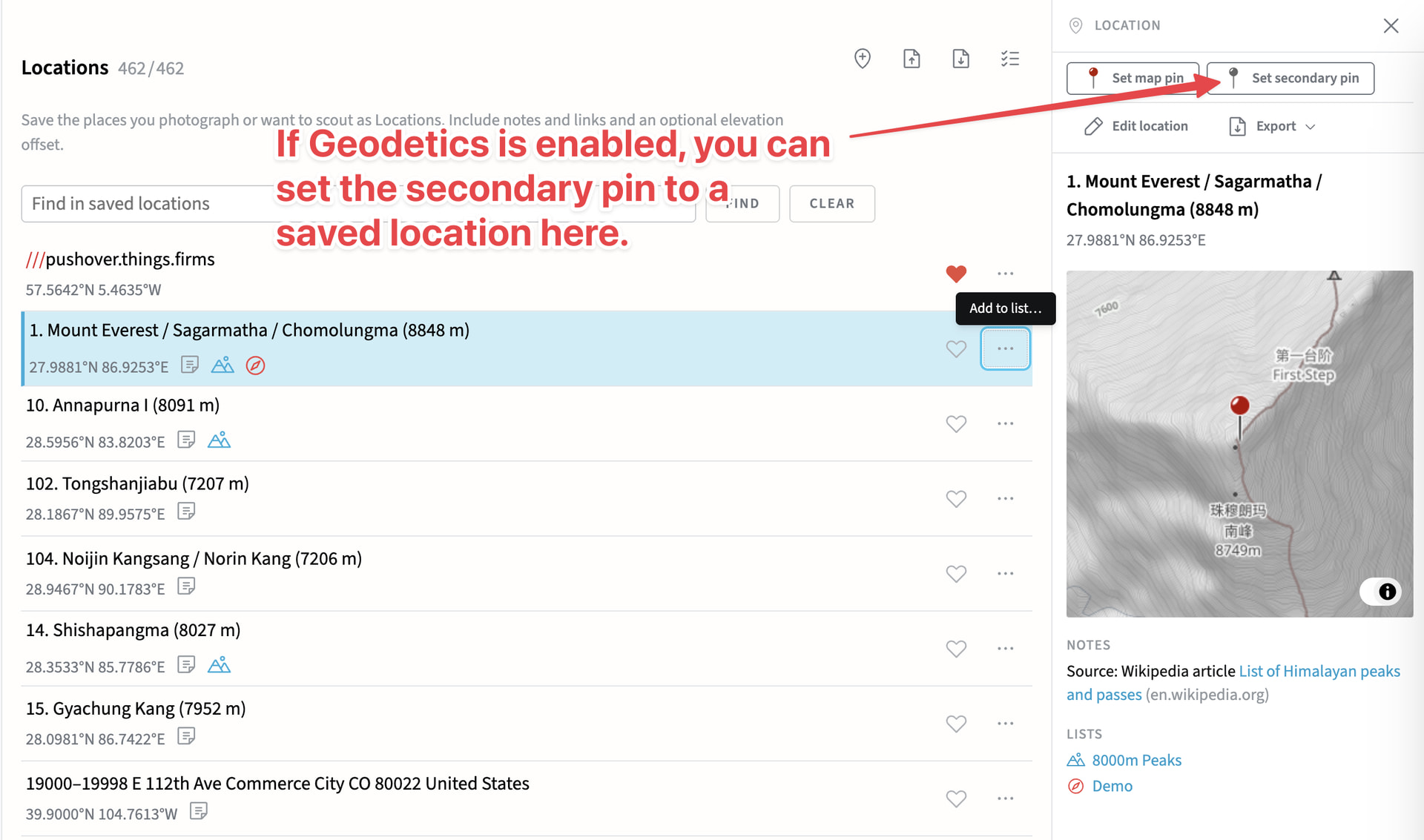
If you enable Geodetics first (you can just press G on the map or 3D pages), then navigate to the library, you can set the primary OR secondary pin to any saved location:
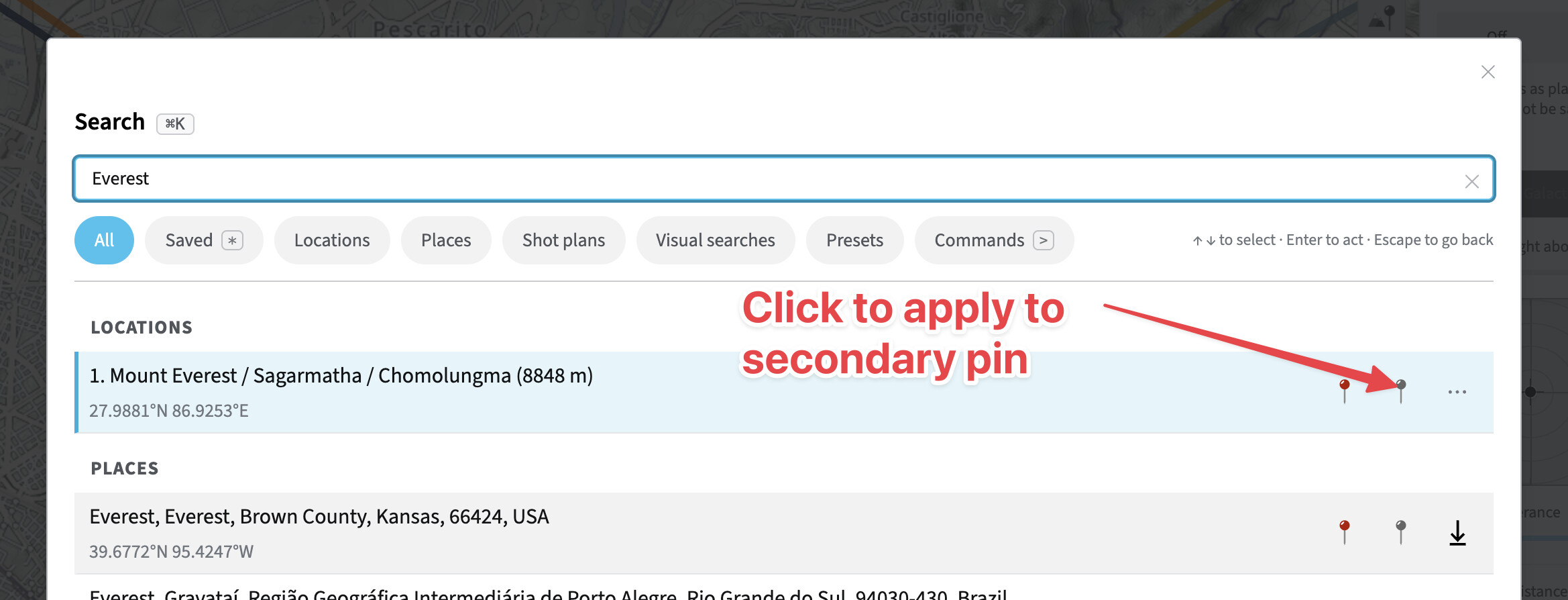
The “power user” move however, is not to navigate to the Library at all, but to press G to enable Geodetics, then Cmd-K to view the Search form/Command palette, enter the name of the saved location, cursor key down ↓ to select:
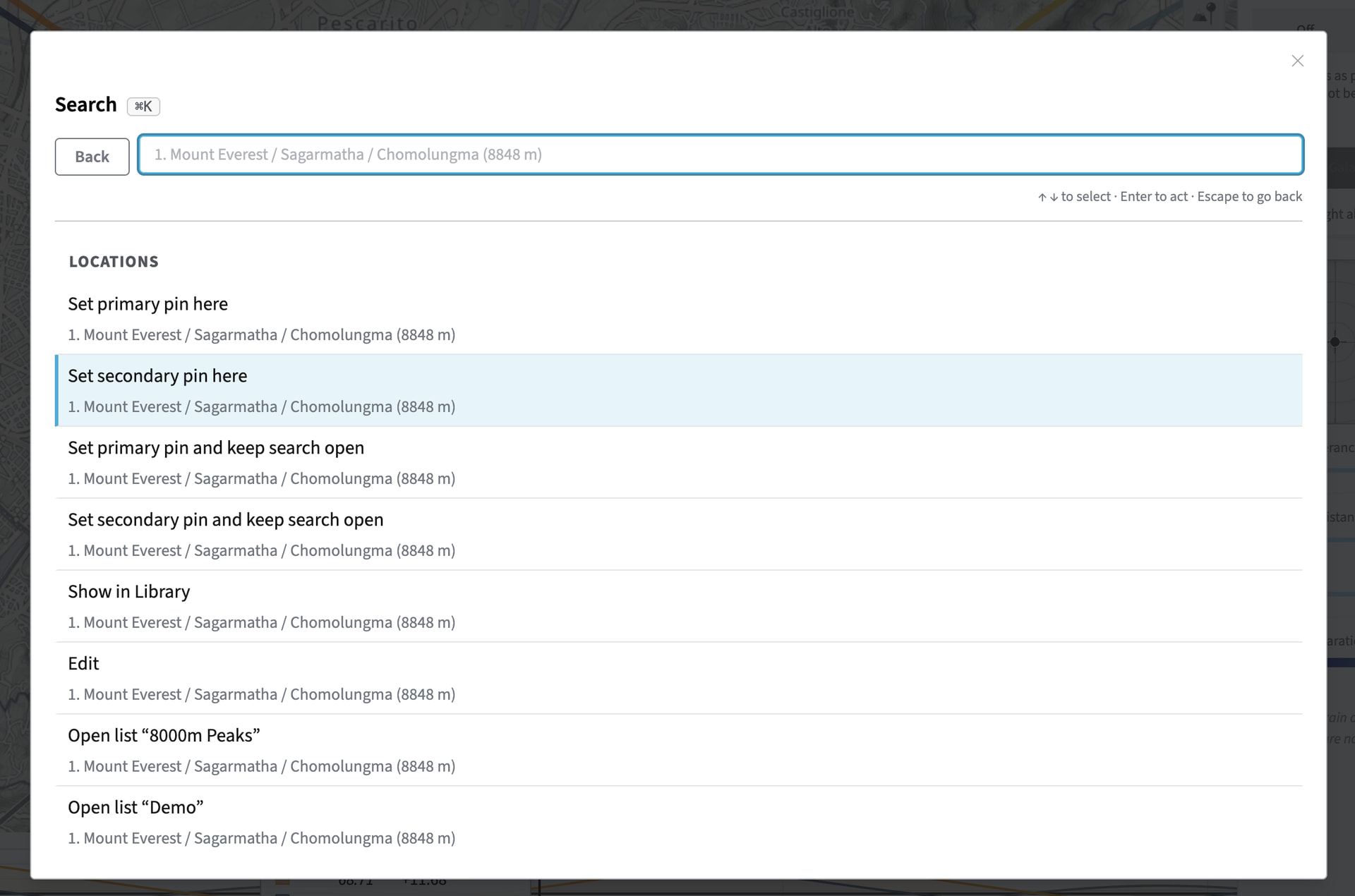
Or press Enter to view options for the saved location, the second of which is to set the secondary pin to the saved location coordinates:
For users who are comfortable with keyboard sequences, this can be a very efficient option, but it can all be done with the mouse also.
The key thing is to enable Geodetics before trying to apply a Saved location to the secondary pin – it doesn’t matter that the pin starts in the wrong position. You can immediately set it to where you need it.
2 Likes
Thanks for the quick and thorough answer!
1 Like
This is fantastic / figured I was missing something as a newbie / going from clean map to planned shot by library markers in no time at all!
1 Like