I’m probably doing something wrong, but in IOS 5 I’m trying out the library and locations I’ll pick a location and tap on it it goes to a detailed screen showing the map and other info, I click on Set as Primary Pin, and it say primary pin updated but it doesn’t go to the Map screen I have to do about 3 click back then pick map to see the location on the map. Is there a quicker way to see the location on the map. Also how do you quickly turn the gray pin on an off, I so used to older versions where you just clicked the gray pin button.
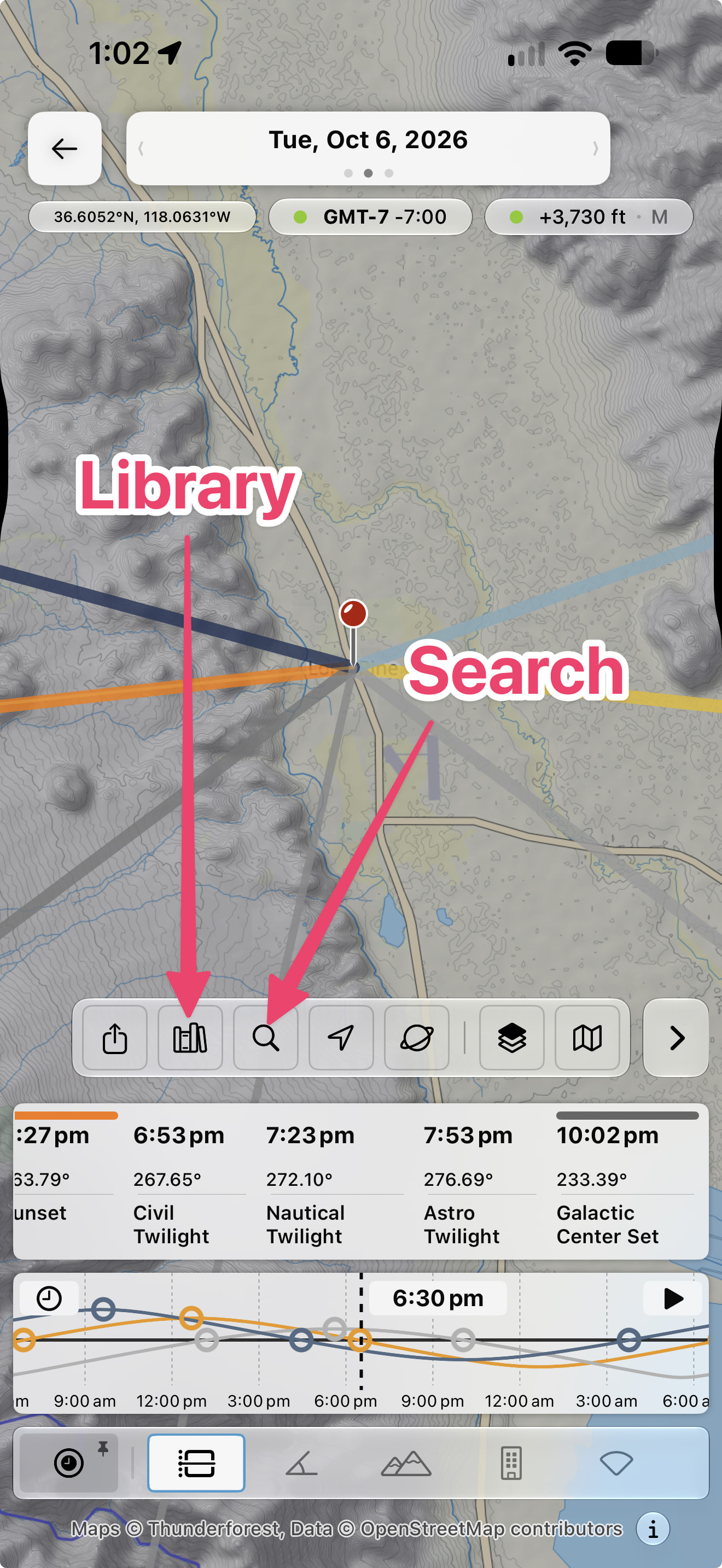
Hi Ron – easier to just view locations directly from within the map, then there’s no need to go back and forth. You can use either the Library or the Search button to find your saved locations.
For the secondary pin, choose the Sightline panel as shown below, then tap to enable:
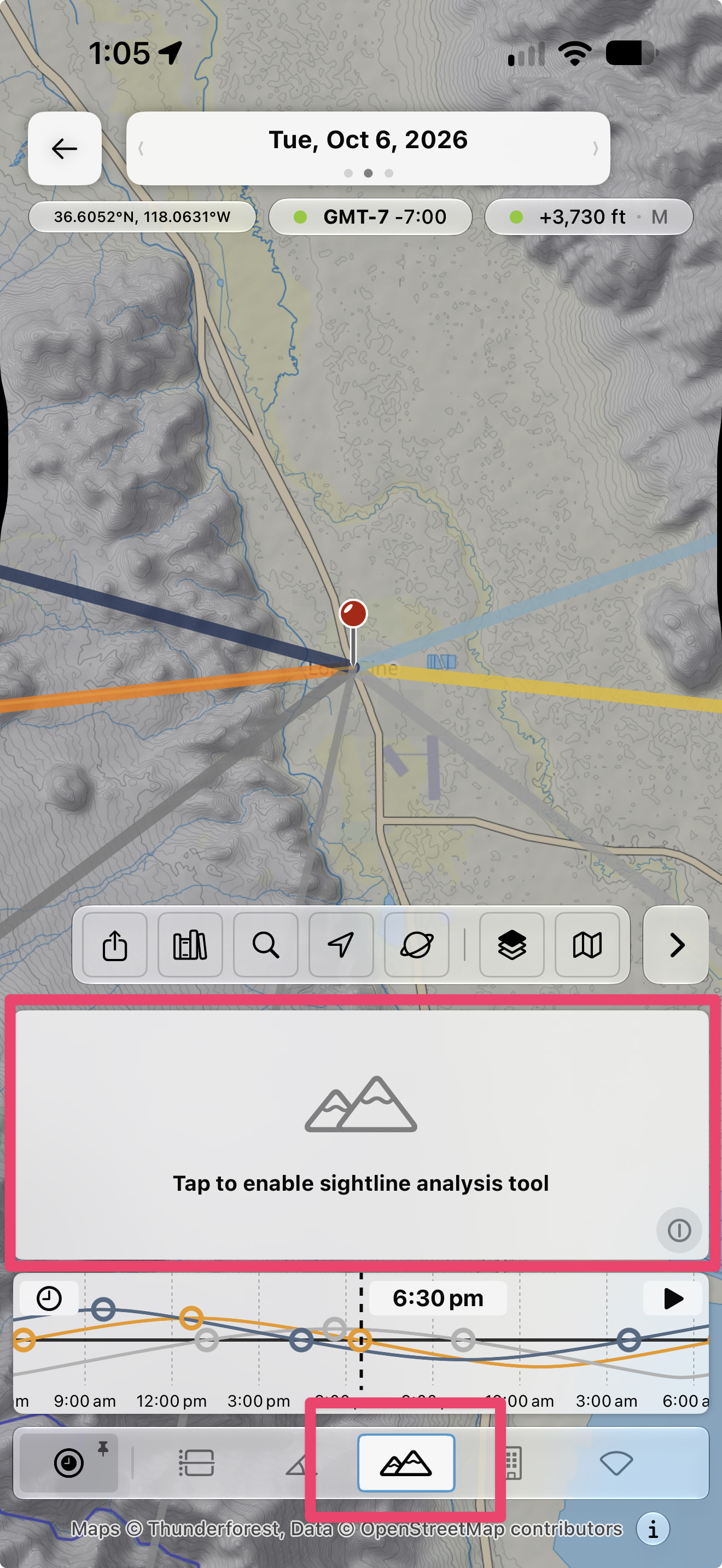
(Note, I might well revise this further to restore more consistency with the older app and the web app, so don’t be surprised if it changes again!)
1 Like
Ok using the library button on the map screen works great, how come when I use the Library module and click on the location and click Set as Primary Pin instead of bringing up the map it just say Pin Updated while doing the same thing by using the Library Button on the Map screen and clicking Set as Primary Pin instantly brings up the map
It needs more work (it’s a beta).
There are multiple places you might want to land beyond the map (e.g. 3D, weather). It’ll need to offer multiple relevant destinations and do some navigation hocus pocus to get you there.
1 Like