TPE Web 4.0 is live as of this morning. If you’re not feeling quite ready for it, you can get back to v3 at v3.app.photoephemeris.com
But there’s so much good new stuff in 4.0, I hope you won’t really feel the need!
TPE Web 4.0 is live as of this morning. If you’re not feeling quite ready for it, you can get back to v3 at v3.app.photoephemeris.com
But there’s so much good new stuff in 4.0, I hope you won’t really feel the need!
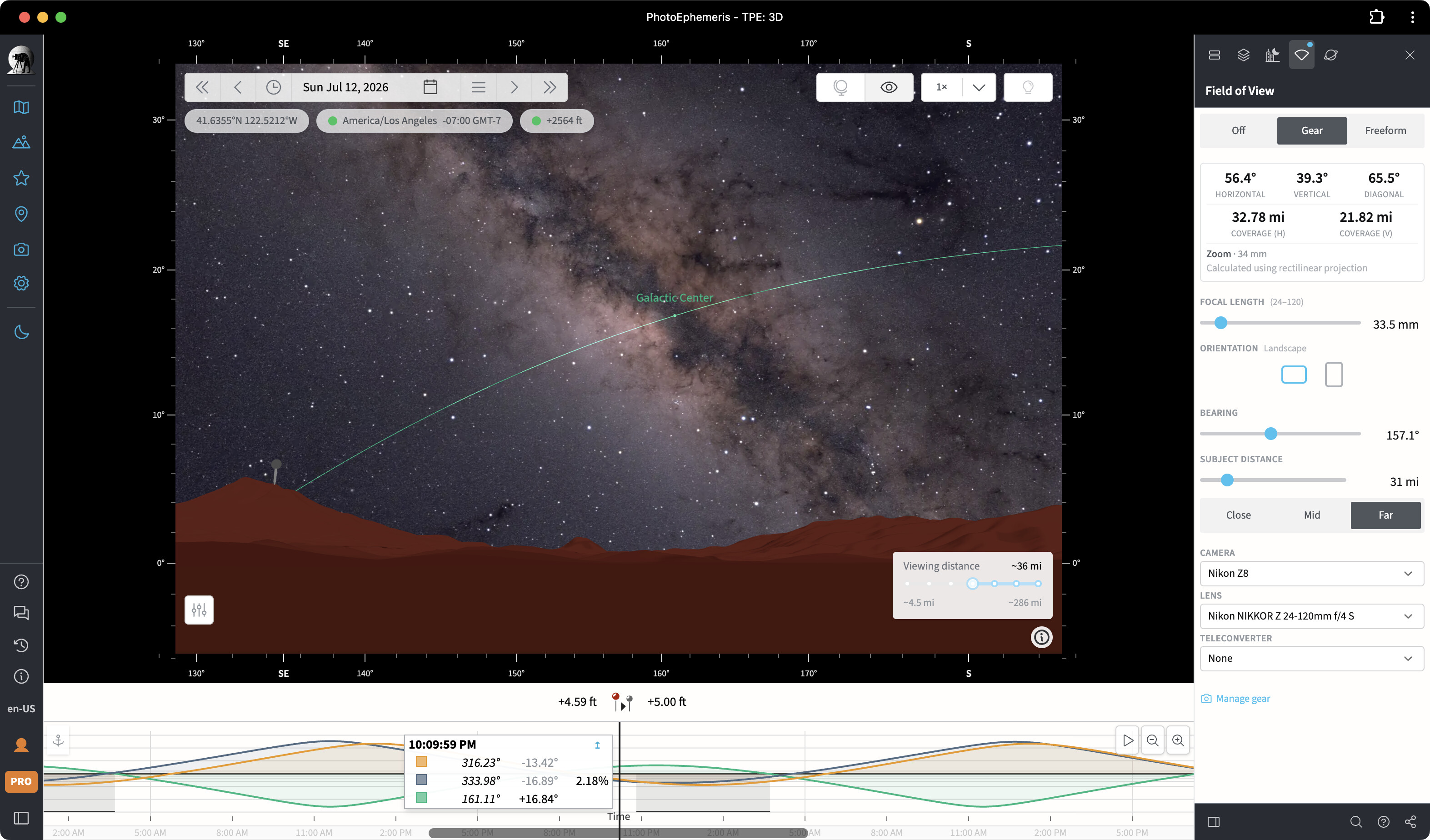
Looks great are you going to do a YouTube video on how to use all the new features of Ver 4.0? Also love the FOV tools are they only available to use in the Map view? Do they do anything if you switch to the 3D view?
Hi Ron – yes, lot’s of videos coming in the next few weeks!
Regarding the FOV tools, if you try the virtual viewfinder mode in the 3D page, it will preview what you’ll see for the selected photo gear, camera orientation etc:.
It’s enabled with the “eye” button near the top right of the frame – that toggles between the “Orbit” and “First person” views
Great I’ll try that out. One thing I’d like to see added to the FOV is crop mode. I use a Z9 and Z8 and a lot of times I’ll put it in crop mode which changes the FOV. Nikon uses a 1.5 crop and Canon 1.6. I think the easiest way to add this is just add them under the Teleconverter options and just add 1.5 (crop) and 1.6 (crop) and you could change the name to Teleconverters and Crop Mode
I have a question on setting building heights and widths, in the old version at the grey pin I could set a building height and its footprint or width and when I went to the 3D view under the grey pin there would be a box showing the building height and width. In version 4 I found where to add the building height but can’t find where I set the building width so when I go to 3d view I see the grey pin elevated to the building height but the building is invisible cause it has no width. I set the building height to 771 ft but I can’t set its width
That should be doable – I’ll seen what I can do!
Hi Ron – I checked and this is a gap in v4 that I’ll have to fix. Apologies for missing this.
In the meantime, you can use the legacy v3 app at v3.app.photoephemeris.com to access this functionality as before.
I’ll try to get this fixed in the next few days.
Looks great, Stephen! Really excited about these new features!
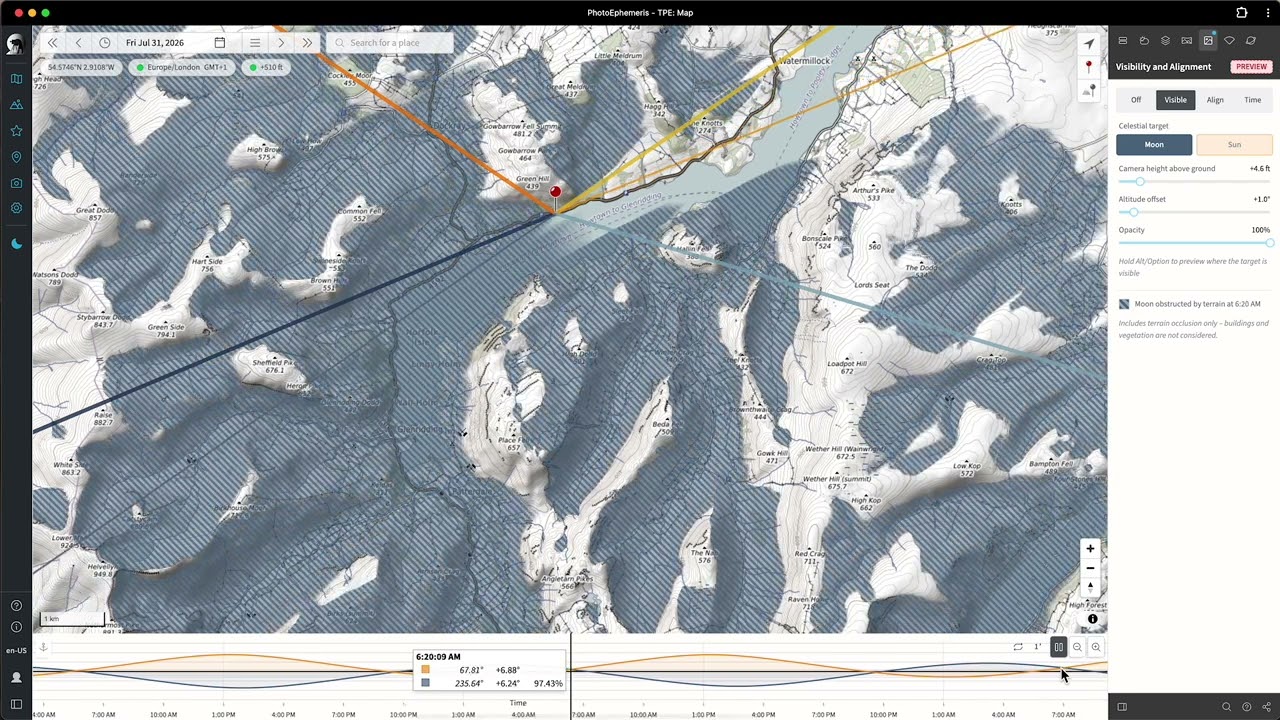
Due to business reasons (this nasty final months before retirement), I was just able to look into the Web 4.0 Version today. Absolutely great, @stephen ! I immediately felt in love with the tools for visibility and alignment. They are simply game changers!
Thanks @michael-lauer  Congrats on your upcoming retirement – more time for photography I hope! I just published a long article on how to use the Shot Alignment tool. It’s live in the in-app help already and will be on the website in a few minutes from now.
Great tool!! Nice write-up. Makes it very clear how to use it!