Hot on the heels of the 4.0 release on July 2 comes the 4.1 Beta.
Lots of bug fixes and polishing (more pending that I have yet to get to), but the biggest change is in the first-person view in the 3D page.
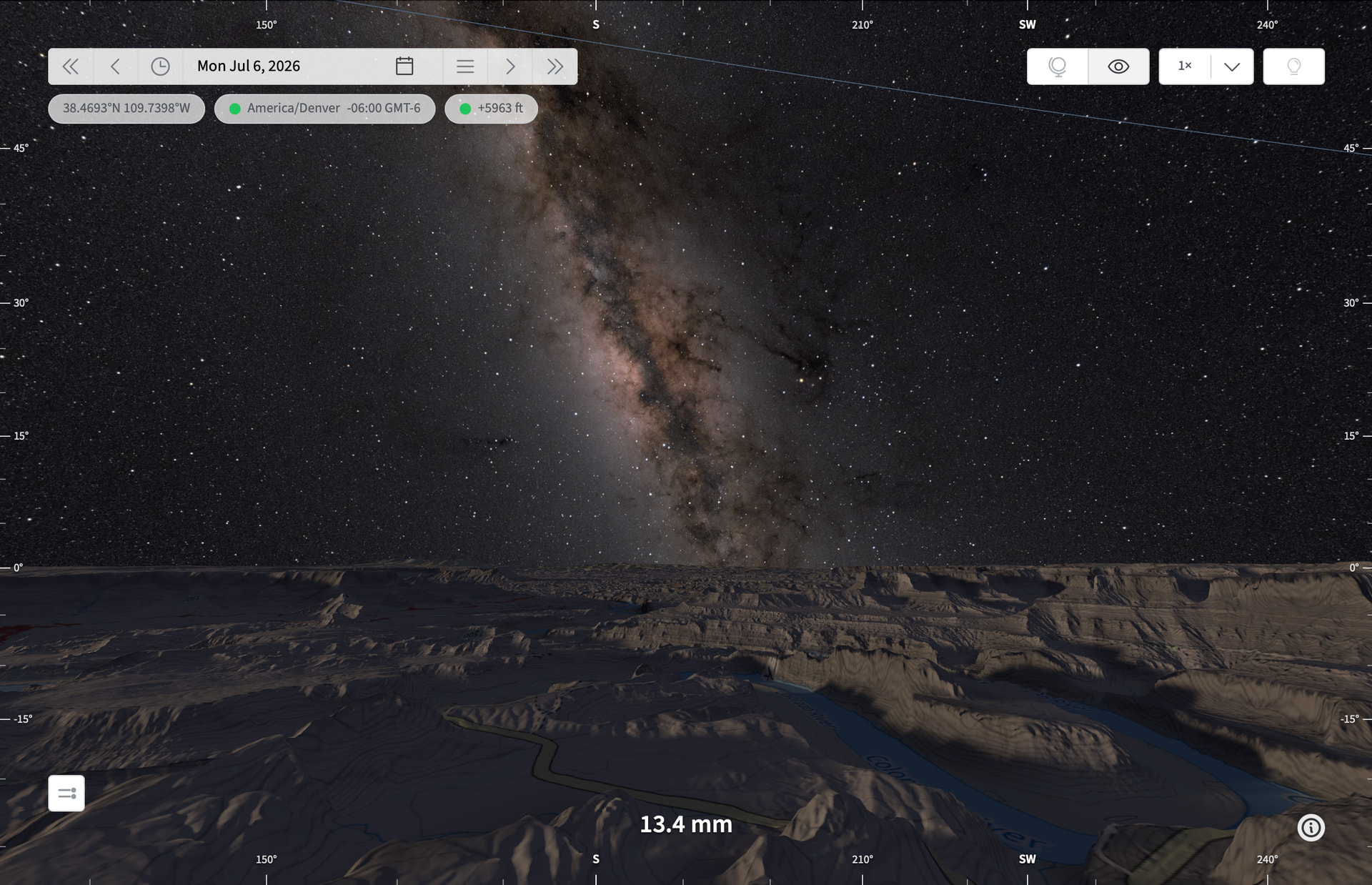
The major changes include:
- Terrain distance slider is gone: it loads everything automatically, preserving near camera detail
- There’s a new Highest quality setting (MAX plan) that pulls in even more data
- You can control the focal length using two fingers on a trackpad or a mouse wheel mouse; effective focal length is displayed at the bottom of the scene; works with or without FOV tool enabled
- Loading indicator added – high quality loads of complex terrain can pull ~90MB of data the first time around, so a fast connection is recommended
- Mini-map added to /3d page – you can now relocate the pin on the 2D mini-map to change the 3D viewpoint without switching back and forth to the map page
- The Moon rendering in FPV has been improved: better texture maps, correctly oriented for the observer location, time/date, libration
- Fixed an gap below the Milky Way, occasionally visible if the observer was elevated above the horizon
Many other minor fixes and refinements.
I’d love it if you’d try it out and report back.
Stephen
