More new stuff! We leapt past 4.1 (see previous posts) and 4.2 has landed.
More polish and fixes, but some substantive new things too, especially in Visual Search – now updated with full support for the planets and celestial targets.
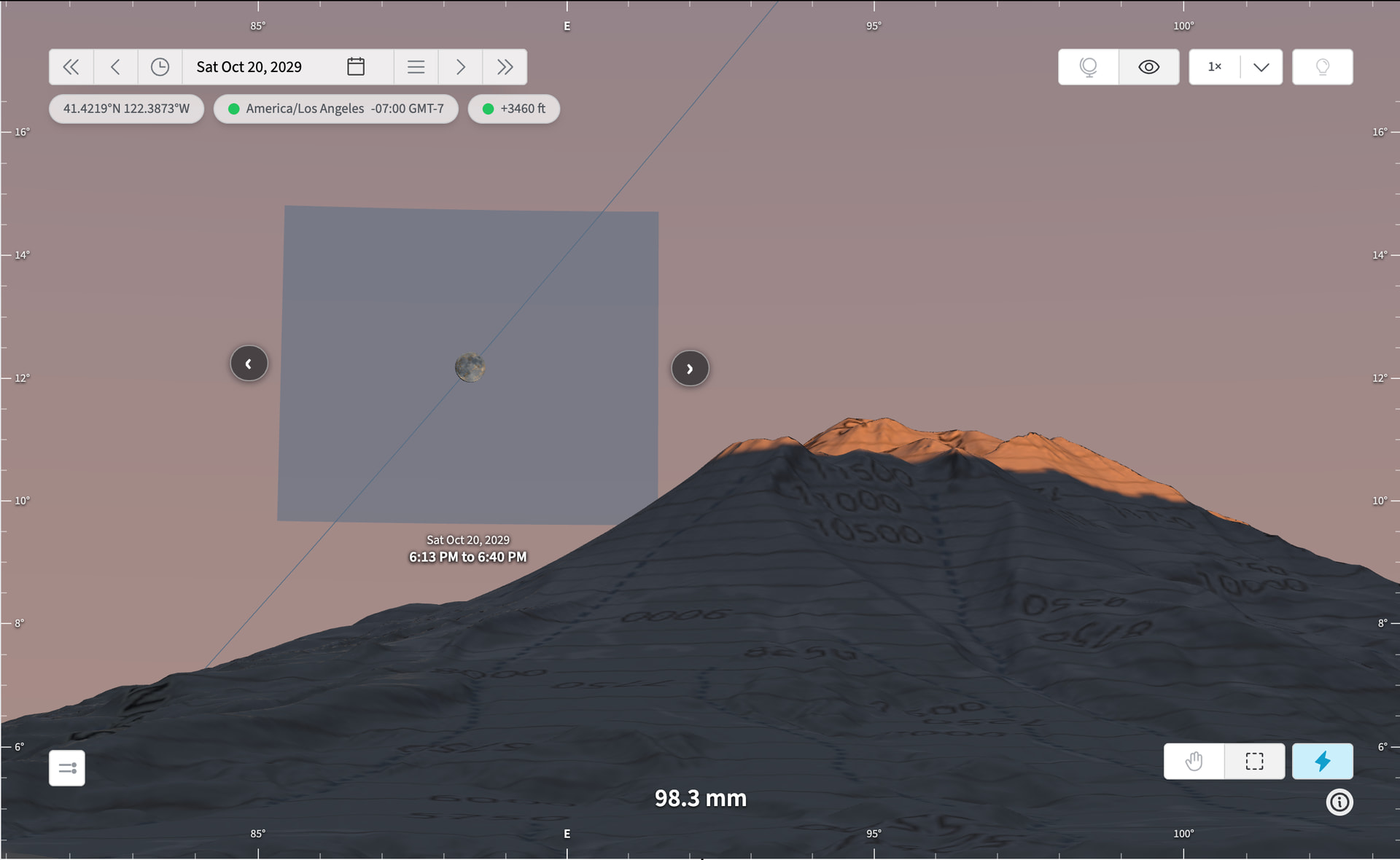
But perhaps the nicest addition is in the FPV virtual viewfinder – switch to “Draw” mode (control lower right) when Visual Search tab is selected and simply draw the area of the sky where you want your target to appear. The search completes automatically and you can click or cursor key through the results while looking at your planned shot:
The new draw-to-search feature makes “visual search” live fully up to its name at long last: you literally draw where you want the Sun, Moon, Venus etc. to be positioned in your shot, and TPE goes and finds it.
Max duration searches are now increased from 5 years to 20 years – that’s actually meaningful for some of the planets where alignments don’t occur for many years at a time.
BTW - if you have the draw tool enabled but want to quickly pan the view around, you can hold down the space bar to do that – just like in Lightroom, when you have brush tool enabled or similar.
I had to laugh when I saw how easy and well this draw-to-search feature works. Superb! And thanks for adding the ability to move only in azimuth (pan) via the shift key.
I’m not able to get panning via spacebar to work while the draw tool is enabled. I do get the Date bar, location info , settling icon, and hand, draw, and search on draw icons to briefly jump up vertically several pixels then return to their original locations, but no pan.
Also, I saw no way to clear/cancel a draw-to-search region, except to draw another region.
Let me know what browser/OS you’re using - it could be the space bar shortcut is being hijacked somehow. A screenshot might also be instructive.
I’ll have a think about clear/cancel on the draw-to-search box. For now, a simple workaround is just to select a tab other than the Visual Search tab to remove it from display.
The space bar functionality for panning while the draw tool is enabled IS working for me - I just took what you said too literally and only held down the space bar (without also clicking and dragging). Nice touch to be able to hold down the shift key in this mode to limit the pan to azimuth!