A new TPE Web 4.9 Beta just dropped. Rather than append this to the other post, it warrants its own post as it’s a chunky new feature.
The Problem
You’re a nightscape or deepscape photographer who wants to juxtapose a deep sky object next to a recognisable landmark. You don’t want to composite random things together in post – you actually need the DSO to pass by the foreground landmark.
How do you know which targets will work in which locations and when? Currently, that can be a slow process of elimination and guesswork.
No more. Use the Sky tab in TPE Web Celestial Targets
The Solution
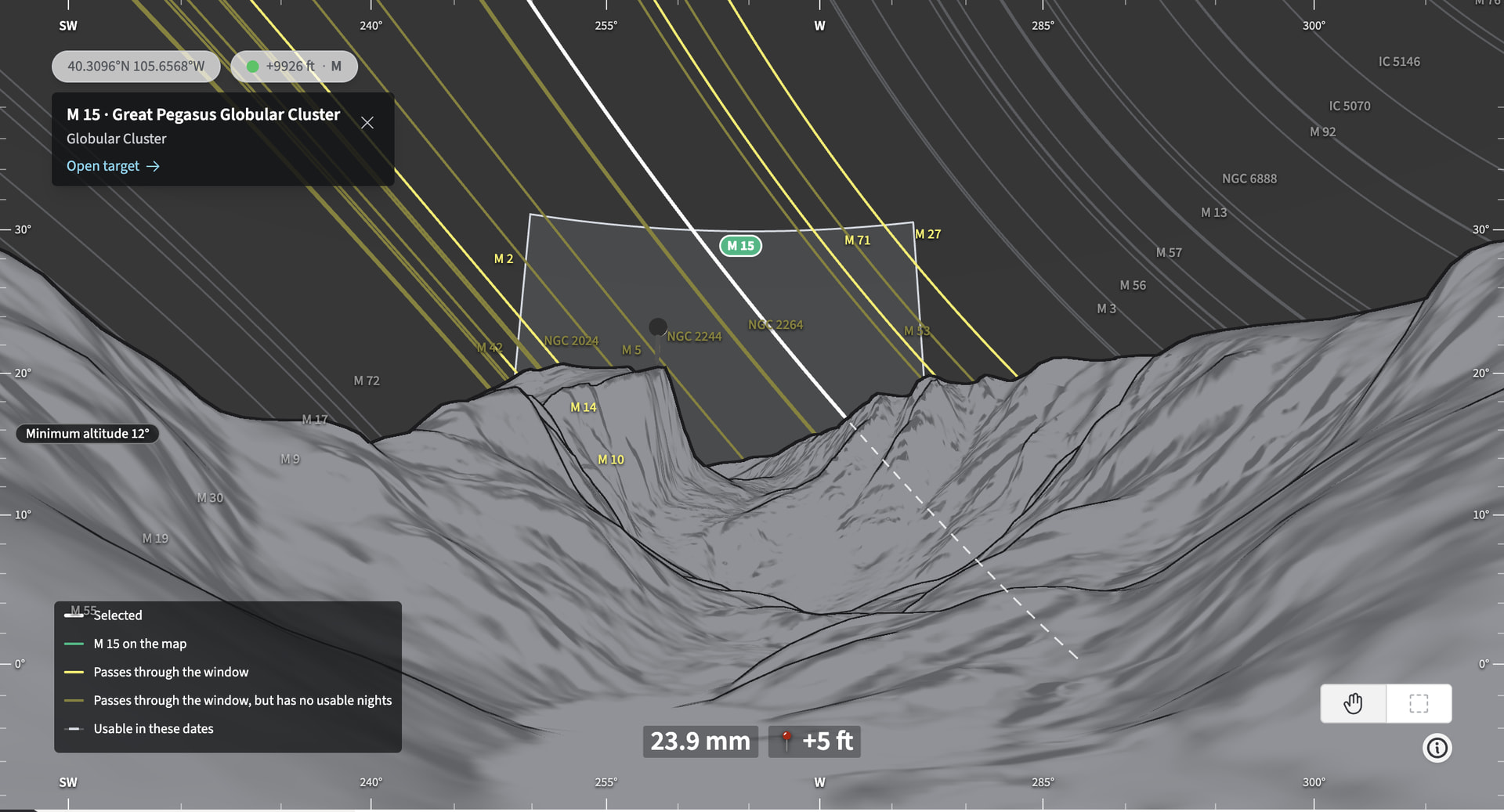
The new Sky View in TPE Web shows you the paths of DSOs as they relate to the landscape. It defaults to a “time independent” view. The paths of the DSOs don’t really change over the year – it’s the “when” that changes (~4 minutes a day of drift).
That shows you which DSOs are where in the sky, allowing for a quick assessment of whether it is ever passing near your foreground subject.
Once you know a target is viable, the next question is when it will pass by. The Position Window in the Visibility Settings allows to you filter for the part of the sky you need the DSO to pass through. Now you can draw that visually on the 3D FPV Outline view, just as you do for Visual Search.
You can set a Date Range (start date and duration) to further filter the DSO list down to what is shootable during that period. Filter by target type, magnitude, required total capture time and very quickly you can narrow a list down from hundreds of potential targets to just the few that work during the time you expect to be on location.
Even better: you can adjust the primary pin position on the map side-by-side to test out different shooting locations on the fly.
Once you’re pinned it down, all the other advanced planning tools of TPE are at hand to finalize the shot plan.
Where do I find Sky View?
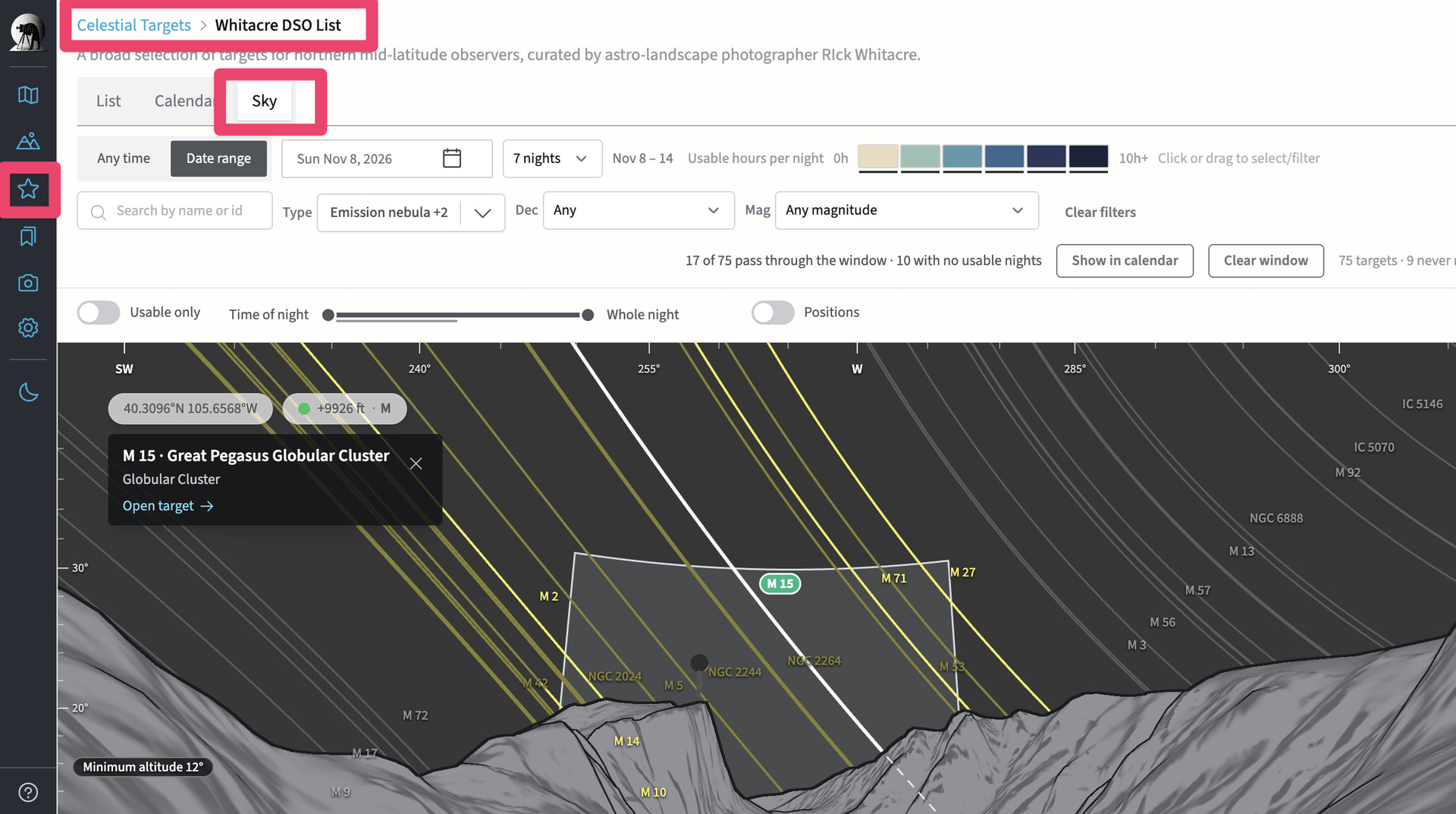
- Sky View is in beta at beta.photoephemeris.com
- Click Celestial Targets in the lefthand sidebar
- Choose a DSO collection (availability varies by subscription level) or your Celestial Target Favorites
- Click Sky on the tab control
Please post any questions or feedback you have!